Blog
RELX Not Charging: Causes, Fixes & Battery Troubleshooting Guide

Introduction
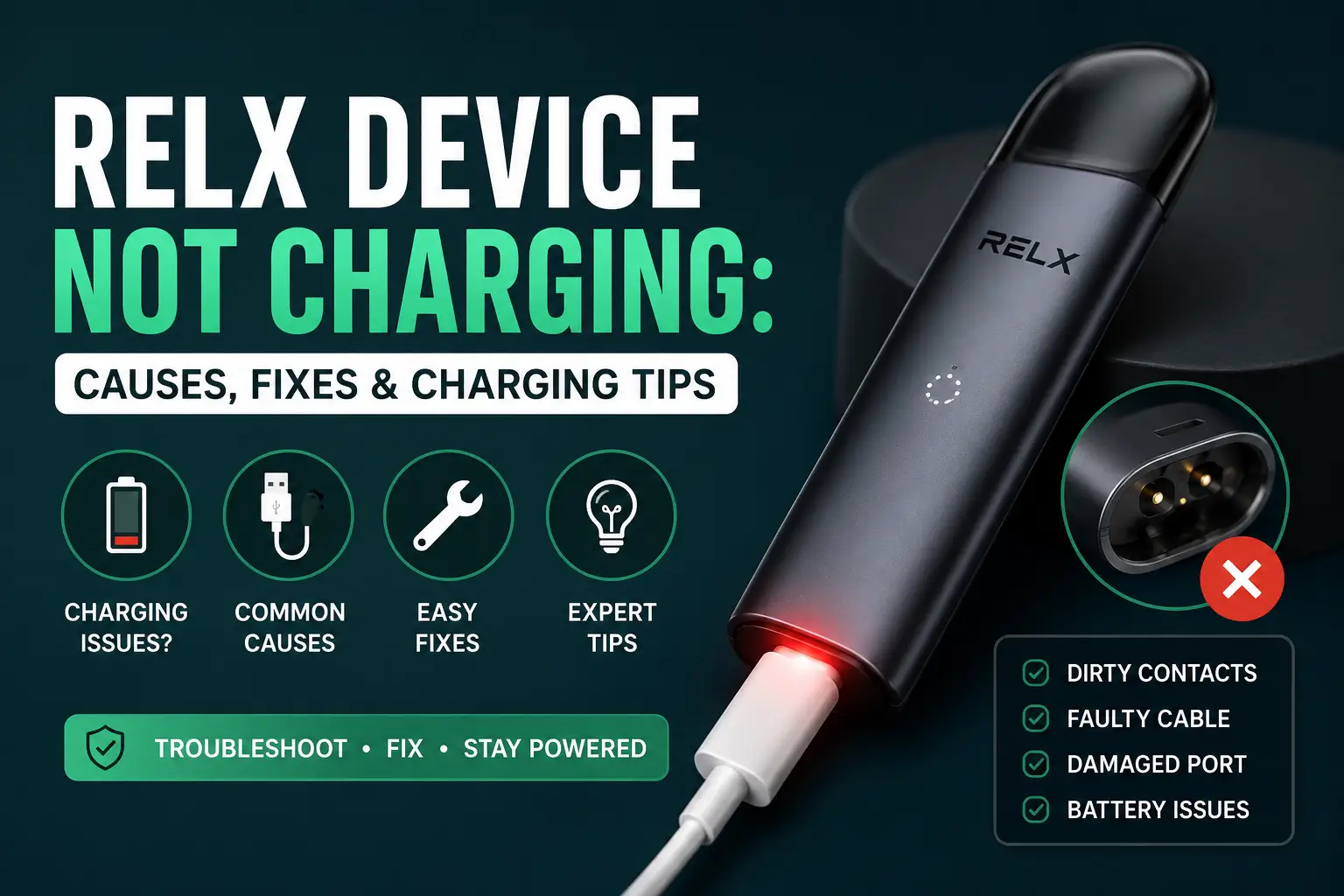
A RELX device that will not charge almost always comes down to one of four things: dirty charging contacts, a faulty cable, a damaged port, or a battery that has reached the end of its life. Most of these are fixed in under ten minutes without any tools, and knowing which one applies to your device saves you from replacing something that only needed a clean.
This guide walks through every charging problem RELX users in the UAE run into, whatever device you own. It covers the Infinity 2, Infinity 2 Plus, and Artisan in detail, since they charge differently enough to matter, and includes what applies to the Essential and Infinity Plus too. It also covers why UAE heat plays a bigger role in charging failure than most people realize, and how to tell when a fix is enough versus when it is time for a new device.
Quick Diagnostic Checklist
Signs it is a cable or port issue
The indicator light does not turn on at all when plugged in, the connection feels loose, or charging only works when you hold the cable at a certain angle.
Signs it is a battery issue
The light turns on and stays on but the device never powers up, charging takes far longer than usual, or the device drains within minutes of a full charge.
Signs it needs professional repair or replacement
The device feels warm without charging, the casing looks swollen or damaged, or it has stopped responding after being dropped or exposed to liquid.
How RELX Charging Actually Works
RELX devices use a built-in lithium-ion battery that charges via a magnetic or USB connection, depending on the model. Understanding the basics makes it much easier to tell a minor fix from a real fault.
Charging time and indicator light behavior
According to RELX’s own device documentation, a standard RELX device takes about 45 minutes to fully charge, and the front indicator light blinks 10 times to signal low battery before charging begins. The light stays lit throughout charging and turns off once the battery is full. If the light never comes on at all when you plug the device in, the cable, port, or power source is the first thing to check, not the battery.
Battery current limits and why it matters
RELX devices are built to handle a charging current of up to 670mA. Anything higher than that, which can happen with cheap or damaged third party cables and adapters, puts unnecessary strain on the battery and can cause it to heat up or wear out faster. This is one of the most overlooked reasons a device charges slowly or stops holding a charge after a few months. Using the original cable, or a certified replacement, protects the battery and keeps charging times consistent.
Common Causes of RELX Not Charging and How to Fix Them
Dirty or blocked charging contacts
Lint, e-liquid residue, or dust on the charging pins is the single most common cause of charging failure. Unplug the device, then gently wipe the metal contacts on the device and the charger with a dry cotton swab. Avoid using water or alcohol directly on the contacts. Let everything dry fully before reconnecting.
For a full walkthrough of keeping the rest of the device free of residue, see our RELX Infinity 2 cleaning guide.
Faulty or incompatible charging cable
Not every USB cable is built the same, and some simply cannot deliver a stable connection to a RELX device. Try a different cable, ideally the one that came with the device, and plug it into a different USB port or wall adapter. If the device charges normally with a different cable, the original one is the problem.
Damaged charging port
If cleaning and a new cable both fail, inspect the port itself for bent pins, visible corrosion, or debris that will not come out with a swab. A damaged port usually needs professional repair, since attempting to force a connection can damage the internals further.
Battery has reached end of life
Lithium batteries degrade with use. If your device is more than a year old, has been charged daily, and now takes noticeably longer to charge or drains within an hour, the battery itself is likely worn out rather than faulty. This is not something that can be fixed with cleaning or a new cable.
Software or firmware related charging failure on Infinity 2 and Infinity 2 Plus
The RELX Infinity 2 and Infinity 2 Plus use a more advanced chip that occasionally needs a soft reset to recognize a charging connection properly. Remove the pod, leave the device unplugged for about a minute, then reconnect the charger. If the light still does not respond, a firmware related fault is more likely than a hardware one.
RELX Charging Slowly or Stopping Before It Finishes
Common reasons charging slows down
A worn cable, a low quality adapter, or a battery nearing the end of its lifespan are the usual causes. Charging speed also drops naturally as the battery ages, even with the original cable.
What to do if charging stops before finishing
Unplug the device, let it sit for a minute, then reconnect the cable firmly. If it stops again at the same point every time, the battery is likely unable to hold a full charge and a replacement is the more reliable fix.
Device Specific Charging Troubleshooting
Charging always happens at the device level, not the pod level. RELX Pod Pro and RELX Pod Pro 2 are e-liquid pods, not devices, so charging always happens through whichever device the pod is inserted into, not the pod itself. Below is a breakdown for each device, so you can go straight to the one you own.
RELX Infinity 2 not charging
The RELX Infinity 2 charges faster than older models and is more sensitive to cable quality. If it will not charge, start with a soft reset before checking the cable, since a stuck connection state is a known quirk on this model.
RELX Infinity 2 Plus not charging
The RELX Infinity 2 Plus is built for speed, reaching around 80 percent charge in about 15 minutes when everything is working correctly. If it is charging far slower than that, or not at all, the cable is the most likely culprit before the battery, since this device is designed to demand a stronger, cleaner connection than older RELX models. It also runs three power modes at higher wattage than the standard Infinity 2, so a battery that drains unusually fast after charging is worth checking against the power mode you are using rather than assuming a fault straight away.
RELX Artisan not charging
The RELX Artisan has a more compact battery, which makes it more sensitive to dirty contacts than other models. A quick clean with a dry cotton swab resolves the majority of charging complaints on this device.
RELX Essential and Infinity Plus not charging
If you are using the RELX Essential or the original Infinity Plus rather than the Infinity 2 line, the same fixes above apply. These models share the same core charging design, a USB or magnetic connection with an indicator light that turns off once fully charged, so cleaning the contacts and testing a different cable resolves most issues here too.
| Device | Typical Charge Time | Connection Type | Full Charge Signal |
|---|---|---|---|
| RELX Infinity (original) | Around 45 minutes | USB cable | Indicator light turns off |
| RELX Infinity 2 | Commonly reported under 30 minutes | USB-C | Indicator light turns off |
| RELX Infinity 2 Plus | About 15 minutes to reach 80 percent | USB-C | Indicator light turns off |
| RELX Artisan | Around 45 minutes | Magnetic or USB cable | Indicator light turns off |
RELX Not Charging But Light Is On or Blinking
What the blinking pattern means
A slow, steady blink usually means the device is charging normally. A fast or rapid blink can indicate a short circuit warning or an incompatible pod inserted during charging. Ten blinks in a row, as noted in RELX’s charging guidance, simply means the battery is low and charging is about to begin.
Light on but battery not increasing
If the light stays on for far longer than the usual charge time without the device ever powering back up, the battery itself is most likely unable to hold a charge anymore rather than the charging circuit being at fault.
How to Properly Charge and Maintain Your RELX Battery
Charging best practices
Unplug the device once it reaches a full charge rather than leaving it connected overnight. Charge at room temperature and avoid charging immediately after the device has been in direct sunlight or a hot car.
Storage and long term battery care
If you are not using the device for an extended period, recharge it at least once every six months. Leaving a lithium battery fully depleted for months at a time causes permanent capacity loss.
Signs your battery is nearing end of life
Shorter time between charges, longer charge times, and the device feeling warmer than usual during use are all early signs that the battery is wearing out rather than a cable or contact problem.
For the full picture on keeping your device and pods in good shape beyond charging, our RELX pod maintenance guide covers the rest.
RELX Charging Safety in UAE Heat
Why heat damages RELX batteries
RELX device documentation warns against exposing the battery to temperatures above 60 degrees Celsius, since heat causes lithium batteries to degrade faster and can lead to swelling or reduced capacity over time. A car interior in Dubai, Sharjah, or Ajman during summer can easily reach that temperature within minutes, even with the windows cracked.
Safe charging habits in UAE conditions
Charge your device indoors at room temperature rather than in a car or near a window in direct sun. If the device has been left in a hot car, let it cool down fully before plugging it in, since charging a hot battery accelerates wear and can trigger the safety cutoff that stops charging altogether.
When to Repair vs When to Replace Your RELX Device
When cleaning or a new cable solves it
If the device is under a year old and the only symptom is inconsistent charging, cleaning the contacts or swapping the cable resolves the issue in most cases. There is no need to consider a replacement at this stage.
When it is time for a new device
If the device shows physical damage, will not hold a charge for more than an hour after a full cycle, or feels warm without any clear cause, replacing it is safer and more cost effective than continuing to troubleshoot. Devices like RELX Infinity 2 Obsidian Black and RELX Artisan Metal Black Wave are worth considering if your current device has reached this point.
If Your RELX Cannot Be Fixed: Replacement Options in UAE
| Problem | Recommended Solution |
|---|---|
| Battery no longer holds charge | Replace device |
| Broken charging port | Buy new device |
| Old RELX model | Upgrade to Infinity 2 |
| Want longer battery life | Consider Artisan |
Frequently Asked Questions
Why is my RELX device not charging?
The most common causes are dirty charging contacts, a faulty cable, or a battery that has reached the end of its life.
Why does my RELX blink when charging?
A steady blink is normal during charging, while a rapid or irregular blink usually points to a pod or connection issue.
How long should a RELX device take to charge?
A full charge typically takes around 45 minutes on standard models, though the Infinity 2 Plus can reach 80 percent in about 15 minutes.
Can a RELX battery be replaced?
The battery is built into the device and is not designed to be removed or replaced by the user, so a worn out battery usually means it is time for a new device.
Should I replace my RELX device if it stops charging?
Only if cleaning the contacts and trying a different cable do not solve the problem, since most charging issues are fixable without replacing the device.
How do I clean RELX charging contacts?
Use a dry cotton swab to gently wipe the metal contacts on both the device and charger, and let them dry fully before reconnecting.
How do I know if my RELX is charging?
The indicator light stays on during charging and turns off once the battery is full.
Why is my RELX charging light not working?
This usually points to a cable, port, or power source issue rather than the battery itself.
This product contains nicotine. Nicotine is an addictive chemical.
Final Thoughts on RELX Charging Problems
Most charging problems come down to something small, a bit of residue on the contacts, a tired cable, or a battery that has simply done its time. Work through the checks in order, starting with cleaning and a cable swap before assuming the worst, and you will solve the vast majority of cases without spending a single dirham. If you have gone through everything here and the device still will not hold a charge, that is the point where replacing it becomes the sensible next step rather than continuing to troubleshoot something that has genuinely reached the end of its life.
If charging isn’t your only concern and you’ve also noticed weaker vapor lately, our guide on why your RELX device is producing less vapor covers that separately.