Blog
RELX Artisan Battery Guide: Charging Time, Battery Life & Common Issues

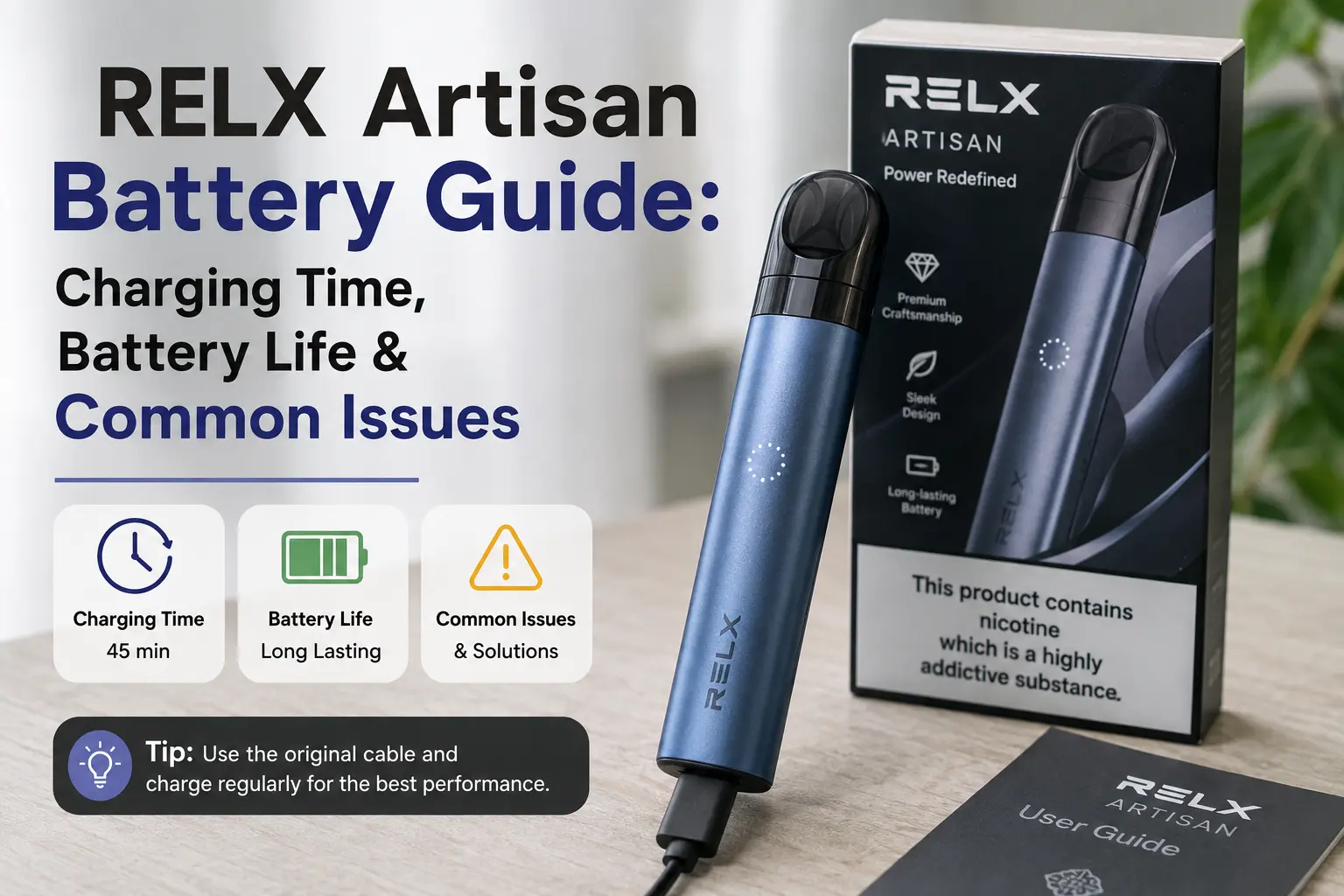
If you own, or you’re about to buy, a RELX Artisan, the battery is the one part of the device that decides whether it fits your daily routine or lets you down at the worst moment. Most guides mention the battery in passing: a spec here, a “charges fast” claim there. This guide is built entirely around the RELX Artisan’s battery: how charging works, how to get the most out of it day to day, what UAE heat and humidity mean for it over time, and how to work through the fixes when something goes wrong.
Quick Answer: The RELX Artisan is a closed-pod device that charges over USB-C and is officially compatible with the RELX Pod Pro and RELX Pod.Pro 2 .RELX specifications list the original Artisan’s battery at 380mAh, while current RELX UAE listings also feature the newer Artisan Plus with a larger 440mAh cell, so it’s worth confirming which version you have from your packaging or retailer listing before comparing numbers. nd is covered in detail below.
RELX Artisan Battery Specs at a Glance
| Spec | Detail |
|---|---|
| Battery capacity | Originally published at 380mAh for the RELX Artisan; the newer RELX Artisan Plus lists 440mAh. Confirm your exact model before relying on either figure. |
| Charging port | USB-C |
| Charging type | Draw-activated, closed-pod system |
| Compatible pods (official) | RELX Pod Pro and RELX Pod. Check your specific device and market before assuming any other pod, including RELX Pod Pro 2, is compatible. |
Because RELX has released more than one Artisan-generation device,check the model name on the packaging or the retailer listing you purchased from, or compare it against RELX’s own current product pages.
This applies the same way no matter which finish you’re carrying, whether it’s the RELX Artisan Bright Mandarin or the RELX Artisan Robin Blue: the finish is cosmetic and doesn’t change the battery or charging hardware underneath.
How Does Charging the RELX Artisan Work?
The RELX Artisan charges via USB-C and is marketed with fast-charging as a feature, though RELX’s UAE-facing materials don’t publish an exact minutes-to-full figure for every Artisan variant, so this guide won’t invent one. What’s consistent and useful to know:
- Charging is not necessarily linear: most lithium-ion devices charge faster in the early-to-mid range and slow down as they approach 100%.
- The condition of your cable, the power source, and the ambient temperature all affect how long a charge actually takes in practice.
- If you want an exact charge-time figure for your specific device, check the packaging insert, user manual, or your retailer’s current product listing rather than relying on generic estimates.
Does the Charger You Use Matter?
Yes, in general terms. For consistent, reliable charging: use a compatible charging cable and power source in line with RELX’s instructions for your device, and avoid charging with damaged cables or adapters. As a general precaution with any USB-C device, laptop and PC ports can be lower-powered than a wall adapter and may charge more slowly, and car chargers are worth using cautiously given how hot a parked car’s interior can get in the UAE. Beyond that, there isn’t an official Artisan-specific charging-current specification published that this guide can point to, so avoid over-specific claims about exact voltage or amperage. If in doubt, follow the guidance that came with your device.
How Long Does the Battery Actually Last Day to Day?
RELX doesn’t publish an official per-charge puff count or hours-of-runtime figure for the Artisan battery, and pod puff-life claims (which do exist for individual pods) shouldn’t be confused with device battery performance. They’re two different things. In practice, day-to-day battery life depends on:
- How often and how long you draw on the device
- The condition and age of the battery
- Ambient temperature during use and charging
- Whether you’re topping up throughout the day or relying on a single charge
A reasonable general expectation for typical daily use is that one full charge gets most users through a normal day, with heavier use naturally requiring a top-up sooner. If you want to track your own real-world runtime, a simple way is to note how many hours of typical use you get between charges over a week or two that gives you a more accurate personal baseline than any generic number this or any other guide can offer.
Understanding the Battery/Charging Indicator
The RELX Artisan uses an LED indicator to show charging and battery status, and RELX’s own comparison materials note that different Artisan-generation devices can have different indicator behavior (for example, some newer models use a multi-stage battery indicator rather than a simple single light). Rather than guess at exact blink patterns or colors for your specific unit, the safest approach is:
- Check the user manual or instruction insert that came with your specific Artisan for the exact meaning of its light patterns.
- If you can’t locate the manual, RELX’s official site or your retailer’s product page for your exact model is a more reliable source than generic third-party blink-code charts, since indicator behavior isn’t identical across every RELX device generation.
- If the light behaves erratically or inconsistently with what your manual describes, treat that as a signal to investigate further rather than assume a specific meaning.
Not sure what your RELX blinking light means? Use this guide to quickly understand what each LED color and light pattern indicates, so you can identify low battery, charging status, or possible device issues before troubleshooting your RELX device.
How UAE Heat & Humidity Affect the Battery
Lithium-ion batteries, the type used in RELX devices, are sensitive to heat, and the UAE’s climate is a genuinely relevant factor for anyone using a pod device here. A few practical, low-risk habits worth following:
- Don’t leave the device in a parked car, especially during summer months.
- Avoid direct sunlight for extended periods, such as on a car dashboard or a sunlit windowsill.
- Avoid charging the device immediately after it’s been in a very hot environment. Let it cool to room temperature first.
- Keep the charging port clean and dry.
- Store the device somewhere cool and dry rather than a hot glovebox, bag left in a hot car, or similar.
These are sensible precautions for any lithium-ion vape device used in a hot climate, rather than Artisan-specific manufacturer claims, and they’re worth following regardless of which Artisan finish or generation you own.
Battery Care Tips (General Lithium-Ion Guidance)
A common piece of advice circulating online is to “fully discharge the battery every so often to recalibrate it.” This is outdated guidance that applied to older battery chemistries and isn’t generally recommended for the lithium-ion cells used in modern vape devices, where repeated deep discharges are more commonly associated with faster wear rather than better performance. Beyond that, general good practice for lithium-ion devices includes:
- Avoiding letting the battery sit at 0% for long periods where possible.
- Disconnecting from the charger when practical once it’s fully charged, rather than leaving it connected unnecessarily for long stretches.
- Using a compatible, undamaged cable and charging accessory.
- Keeping the device out of extreme heat, as covered above.
- Following any specific battery-care instructions included with your device, since these are the most reliable source for your exact model.
Storing Your RELX Artisan When Not Using It Daily
If you’re not using your Artisan every day travelling, switching devices temporarily, or keeping a spare on hand general lithium-ion storage practice suggests avoiding storing a device at a completely empty or completely full charge for extended periods, and keeping it in a cool, dry place out of direct sunlight. This is standard guidance for lithium-ion electronics generally rather than an Artisan-specific instruction from RELX, so for the most accurate guidance on your exact device, follow the battery-care instructions supplied with it.
If you’re keeping a spare device on hand, say a RELX Artisan Dark Stealth for evenings out and a RELX Artisan Royal Saddle for everyday carry, the same general storage precautions apply to both devices.
Common RELX Artisan Battery Issues & Fixes
1. RELX Artisan Not Charging
Possible causes: dust or debris in the USB-C port, a faulty or damaged cable, an incompatible power source, or a battery that’s very low.
What to try:
- Check the charging port for visible dust, lint, or moisture and clean gently if needed.
- Try a different, compatible USB-C cable to rule out a cable fault.
- Try a different power source, such as a standard wall adapter, rather than a laptop port.
- If the device still shows no charging response, check the cable, power source, and charging port again, and if the problem persists, contact the manufacturer or your retailer for support rather than continuing to troubleshoot an unresponsive device on your own.
2. Battery Draining Faster Than Expected
Possible causes: natural battery aging over time, frequent exposure to heat, or charging habits that involve leaving the device connected for long periods after it’s full.
What to try:
- Review your charging habits: disconnect when practical once fully charged.
- Keep the device out of hot environments, particularly parked cars.
- If drain has changed noticeably and doesn’t improve with better charging and heat habits, this may point to a developing issue with the device itself rather than normal wear, and is worth raising with the manufacturer or retailer.
3. Device Won’t Turn On or Activate on Draw
Possible causes: a depleted battery, a pod that isn’t seated correctly, or moisture affecting the device.
What to try:
- Charge the device fully first, as this rules out the most common cause.
- Remove and reinsert the pod, making sure it’s seated fully.
- If moisture is suspected (from humidity, condensation, or contact with liquid), stop using or charging the device and allow it to dry completely before reconnecting it to power.
4. Device Feels Warm While Charging or in Use
Possible causes: charging in a hot environment, using an incompatible charging accessory, or extended continuous use without breaks.
What to try:
- Move the device to a cooler environment and let it return to room temperature before continuing to charge.
- Use a standard, compatible charging accessory rather than an unfamiliar or third-party fast-charging adapter.
- Take breaks between draws rather than using the device continuously, which reduces heat build-up.
If a device consistently overheats beyond what feels like normal warmth, stop using it and contact the manufacturer or retailer rather than continuing to charge or use it.
Battery vs Pod: How to Tell Which One Is the Problem
A common point of confusion is assuming the battery has failed when the issue is actually the pod, or the reverse. This isn’t an exhaustive diagnosis a device fault can also involve the charging circuit, internal contacts, or draw sensor but it’s a useful starting checklist:
| Symptom | Worth Checking First |
|---|---|
| No vapor at all, device won’t fire | Confirm the pod is seated correctly and the battery has charge |
| Weak vapor, but device activates fine | Try a fresh, known-good pod |
| Burnt taste | Try a fresh pod |
| Device won’t hold a charge as long as it used to | Review charging habits and heat exposure; may point to the battery |
| Leaking around the mouthpiece or base | Check the pod for damage, and check the device contacts for liquid or contamination |
| Device only feels warm while charging | Review your charging accessory and environment |
If a fresh, compatible pod resolves the issue, it was a pod-related problem. If the issue persists with a known-good pod in place, the issue may be with the device itself and is worth having assessed by the retailer or manufacturer’s support team rather than assumed.
Is the RELX Artisan worth buying in the UAE? This review looks at its premium design, 380mAh battery, USB-C charging, SmartPace alerts, leak-resistant build, pod compatibility, portability, and everyday usability to help you decide if the Artisan suits your vaping needs.
When to Replace a Pod vs the Device
Pod-related symptoms, such as burnt taste, weak vapor, or visible leaking, are worth addressing first by trying a compatible replacement pod and checking the device contacts for contamination.
Device-related symptoms, such as the battery not holding a charge despite reasonable habits, the device not charging at all after basic troubleshooting, or inconsistent power/activation issues that persist across multiple pods, are worth raising with the manufacturer or an authorized UAE retailer, who can advise on warranty or replacement options for your specific device and purchase.
Buying from an authorized UAE retailer gives you a clearer support and warranty path than unverified sellers, so it’s worth keeping your receipt and checking the retailer’s return/warranty policy at the time of purchase.
Pod Compatibility
Officially published RELX compatibility information lists the RELX Artisan as compatible with the RELX Pod and the RELX Pod pro. If you’re considering another pod variant, including the Pod Pro 2, confirm compatibility for your specific Artisan model and UAE market listing before use, since compatibility isn’t necessarily consistent across every RELX device generation or region. Using a genuine, correctly compatible, and properly seated pod is also worth doing for practical reasons beyond flavor: a poor pod connection can sometimes look like a battery or charging fault when it’s actually a seating or compatibility issue. Using a genuine like RELX Dubai Provide, compatible pod helps reduce compatibility and connection-related uncertainty.
Frequently Asked Questions
How long does the RELX Artisan take to charge?
RELX markets the Artisan with fast USB-C charging, but an exact minutes-to-full figure isn’t consistently published across every Artisan generation. Check your device’s packaging, manual, or current retailer listing for the specific charge time that applies to your model.
Can I use a power bank to charge my RELX Artisan?
Generally yes, provided the power bank is a standard, compatible USB power source. Avoid unfamiliar high-current “fast charge” modes not confirmed as compatible with your device, and follow the charging guidance included with your Artisan.
Why is my RELX Artisan not charging?
Common starting points are a dusty or damaged charging port, a faulty cable, or an incompatible power source. Work through basic checks first, and contact the manufacturer or retailer if the issue doesn’t resolve.
Is it safe to charge the RELX Artisan overnight in UAE heat?
As a general precaution, it’s sensible to disconnect a device once it’s fully charged rather than leaving it connected for long, unnecessary stretches, particularly in a warm room. Follow the specific charging guidance provided with your device.
How do I know if my Artisan’s battery is the problem versus the pod?
Try a fresh, known-compatible pod first. If that resolves the issue, it was pod-related. If the problem persists with a known-good pod, the device itself may need to be assessed by the retailer or manufacturer.
How long should I expect the battery to last before needing a new device?
RELX doesn’t publish an official expected lifespan figure for the Artisan’s battery, and actual lifespan varies with usage habits, charging practices, and heat exposure. If you notice a clear, sustained drop in how long a charge lasts despite reasonable care, it’s worth raising with the retailer or manufacturer.
Does the RELX Artisan overheat during charging?
It shouldn’t feel more than mildly warm under normal conditions with a compatible charger at room temperature. If it consistently feels hot, review your charging accessory and environment, and stop use if the issue persists.
Is the RELX Artisan compatible with the RELX Pod Pro 2?
Officially published compatibility for the Artisan lists the RELX Pod Pro and RELX Pod. Confirm compatibility with the Pod Pro 2 for your specific device and UAE listing before use rather than assuming it applies.
Final Thoughts
The RELX Artisan’s battery and USB-C charging are straightforward in everyday use, but getting the most out of it, and avoiding avoidable wear, comes down to sensible charging habits, being mindful of UAE heat, and knowing when a problem is really about the pod rather than the device. Since RELX has released more than one Artisan-generation device with different published specifications, always check your own packaging, manual, or current retailer listing for the exact figures that apply to your unit rather than relying on generic numbers. If something does go wrong, work through the battery-vs-pod checklist above before assuming the worst, and involve your retailer or RELX support directly for anything that doesn’t resolve with basic troubleshooting.