

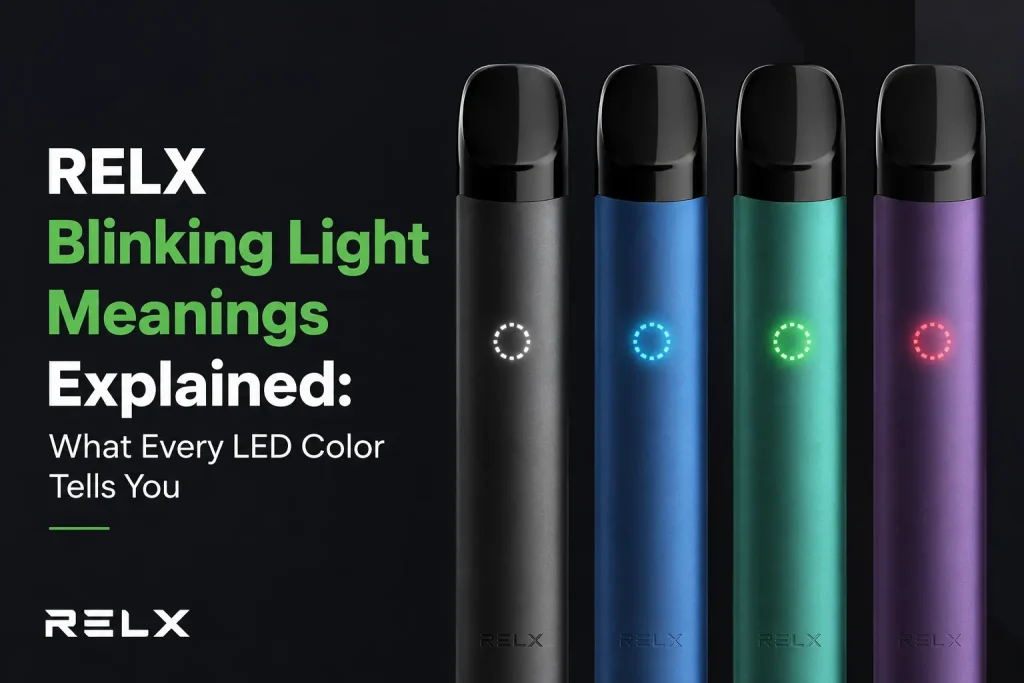
You take a puff, and instead of the usual quiet white glow, your RELX starts flashing red. Or you plug it in to charge and the light won’t sit still. Before you assume something’s broken, it’s worth knowing that a blinking light on a RELX device is mostly just the device talking to you. It’s a status signal, not a warning siren. Most of the time it’s telling you something simple, like the battery’s getting low, or that it’s genuinely fine and just doing its normal charging routine. This guide walks through what each situation actually means, written specifically with UAE conditions in mind, because heat here does things to these devices that a guide written for a cooler climate simply won’t mention.
It helps to know roughly what’s happening inside the device first, since that’s really what the light is reporting on. A RELX device has three basic parts working together, a battery, a pod that holds the flavoured liquid and a small heating coil, and a sensor that detects when you inhale. There’s no button to press, the moment you draw on the mouthpiece, the sensor tells the battery to heat the coil, and vapour comes through. The light is simply the device’s way of reporting on that whole process, whether the battery has enough charge to do its job, and whether the pod is making proper contact so the circuit can complete.
Why Do RELX Devices Blink?
Before getting into specific colours and situations, it helps to know the handful of reasons a RELX will blink at all. In practice, almost every blinking light traces back to one of these.
- Low battery, by far the most common reason, and usually shown as red.
- A pod that isn’t seated properly, or has residue on the contacts, breaking the connection the device needs to fire.
- Charging in progress, a normal pulsing pattern rather than a fault.
- An overuse alert, some devices pace you if you take too many puffs too quickly, a safety feature built into the hardware rather than something tied to any particular RELX Pod Pro pod itself.
- Heat exposure, particularly relevant here, high temperatures can trigger the battery’s own protection circuit.
- A genuine device fault, the least common cause, and usually only worth suspecting once everything above has been ruled out.
If You Just Want the Fast Answer
Before getting into the detail, here’s a quick sequence worth running through first for most blinking situations. It doesn’t matter whether you’re on a plain Infinity or something like a RELX Artisan Royal Saddle, the sequence is the same.
- Check whether it’s plugged in or not, a pulsing white light while charging is normal, don’t touch anything, just let it finish.
- If it’s flashing red while you’re trying to vape, charge it. That solves the large majority of cases on its own.
- If it’s fully charged and still flashing, remove the pod, check the contacts for residue, wipe with a dry cloth, and reinsert firmly.
- If that doesn’t clear it, try a different pod entirely, a faulty or spent pod causes the exact same symptoms as a device fault.
- Still stuck after all that? Move on to the sections below, there are a few less common causes worth ruling out.
The Light You See While You’re Actually Vaping
This is the one that catches people off guard, you’re mid-puff and something looks different. If the light comes on white with each draw, that’s just the device firing correctly, nothing to think about there. Red is the one that gets people’s attention, and rightly so, it almost always means the battery is running low. If it’s just a steady red while you puff, you’ve got a bit of time left before you need to charge. If it starts flashing rapidly, several times in quick succession, that’s the device telling you the battery is critically low or essentially out of usable charge, and it won’t fire properly again until you plug it in. Sometimes the light flashes but nothing actually comes out when you inhale. That’s usually a pod connection issue rather than a battery one, though a low battery can make a shaky pod connection worse. The fix is almost always the same either way, take the pod out, have a look at the contact points for any residue, and push it back in firmly until it seats properly.
There’s also a specific kind of rapid flashing some RELX devices show if you take several fast puffs back to back. That’s a built-in overuse protection, a way of pacing you rather than a fault, and it clears itself after a short pause. One honest thing worth saying here, not every colour on every RELX device has its own unique meaning. White and red are the two colours with a genuinely consistent, well-documented meaning across most models, including the RELX Artisan line. Some devices also show green or blue as a steady “ready” indicator, but that varies by model rather than following one single universal code across the whole RELX range. If your device is showing a colour that doesn’t fit neatly into white or red, the safest first move is still the same one, check the battery, check the pod.
What if the Light is Changing Color or Pulsating?
A pulsing light and a colour that changes on its own are two different things worth separating clearly. If the white light is gently brightening and fading on a slow, repeating cycle, that’s almost always charging in progress, completely normal, not a fault. This is a completely separate situation from blinking mid-puff, and mixing the two up is where a lot of the confusion online actually comes from. Once it switches to a steady light that just stays on without pulsing, that’s your signal the device is fully charged and ready to unplug.
A full charge is typically around 45 minutes on RELX Infinity specifically, though this can vary a little across different RELX devices. If yours has been plugged in for a lot longer than you’d expect and the light is still doing that slow pulse rather than sitting steady, it’s worth checking the cable and the port before assuming the battery itself has given up, a loose USB-C connection is a far more common culprit than people expect.
A proper charge, step by step, looks like this.
- Use the original RELX cable if you still have it, or a standard USB-C cable rated for phone charging, not a high-power laptop charger, those push more current than the small internal battery is built to handle.
- Plug it into a regular USB port or wall adapter, phone chargers work fine, avoid fast-charging bricks meant for tablets or laptops.
- Leave it alone while the white light pulses, this is the normal charging cycle, resist the urge to unplug and check on it repeatedly.
- Once the light sits steady rather than pulsing, it’s fully charged and ready to unplug.
A genuine colour change, rather than a pulse, is a different story and depends on which device you have. On the newer RELX Infinity 2, colour does double duty, it shows battery status but also indicates which power mode you’re on, Eco, Smooth, or Boost. So if the colour changes unexpectedly on an Infinity 2, it might not mean anything’s wrong at all, it could simply be that the mode switched. If it seems stuck on one colour and won’t switch modes no matter what you try, that’s usually either the battery being too low to allow a mode change, or the pod needing to be pulled out and reseated. On rare occasions this points to outdated firmware rather than a hardware fault, in which case an authorised RELX service provider is the right place to get it updated. This mode-linked colour behaviour is specific to the Infinity 2, older RELX devices don’t do this, on those, colour is tied to battery and error status only.
Why UAE Heat Specifically Can Set This Off
Here’s the part almost nobody writing about this covers, and it matters more here than it would somewhere with a milder climate. RELX devices run on lithium batteries, and those batteries have built-in protection circuits that can trigger warning behaviour purely from heat exposure, with no actual fault involved at all. A device left in a parked car during a Dubai summer can sit well past 50 degrees Celsius within minutes, and at that kind of temperature, the protection circuit can cause the light to blink oddly or stop the device from firing properly, even on a full charge.
In most cases this isn’t damage, it’s the battery protecting itself the way it’s designed to. If your device suddenly starts acting up right after it’s been in a hot car, sitting in direct sun, or left near a window, the first thing to try is simply letting it cool down for a few minutes before assuming anything is actually broken.
How to Fix a Blinking Vape Pen
A surprising number of blinking issues have nothing to do with the device at all, the pod is the actual culprit. A pod that’s slightly out of alignment, contacts with a bit of residue built up, or one that’s simply reached the end of its life can all trigger the exact same light pattern as an actual battery problem. Here’s how to check it properly.
- Remove the pod completely from the device.
- Look closely at the metal contact points on both the pod and the device slot, a thin film of e-liquid residue or dust is common and easy to miss at a glance.
- Wipe both sets of contacts gently with a dry cloth or a dry cotton swab, never anything wet, moisture on the contacts causes the exact same symptoms you’re trying to fix.
- Push the pod back in firmly until it clicks or seats fully, a pod that looks inserted but isn’t fully seated is one of the most common causes of this whole problem.
- Try a puff. If it still flashes, try a different, known-good pod before assuming the device itself is at fault.
If leaking or loose pods are part of what’s setting this off for you, it’s worth reading through why vape pods leak and how to stop it, since a lot of the blinking-related pod issues trace back to the same causes. And if you’ve been through several pods with the same device and keep hitting this issue, trying a single fresh pod, something like the RELX Pod Pro 2 Pink Lemonade, rather than reaching for another one from an older batch, is a simple way to rule pods out as the cause entirely.
If none of that clears it and the device still shows the same light pattern no matter what you try, there’s a simple reset sequence worth running before assuming the worst, this applies whether you’re running Pod Pro 2 or the original pod line. Remove the pod completely and leave the device empty for a short moment, this gives the battery and the sensor a chance to settle. Reinsert the pod firmly, then try a normal puff. If your device supports a manual reset, usually a specific button-and-charging-port combination outlined in its manual, that’s the next step if the simple version doesn’t work. Only after a proper reset still shows the same fault is it worth considering the device itself has an actual problem rather than something a reset would clear.
A Few Habits That Cut This Down Long Term
There are some small habits that genuinely reduce how often you’ll run into an unexpected blinking light in the first place. This applies whether you’re on a RELX Infinity 2 Blue Bay, an older model, or anything in between. For the battery specifically, it’s better to start charging once it drops to around 20 percent rather than always running it down to zero, lithium batteries hold up better long term when they’re not repeatedly fully depleted before charging. Keeping the device out of direct sun and out of parked cars matters more here than almost anywhere else, for the heat reasons already covered above. It’s also worth storing the device upright rather than on its side, this keeps any residual e-liquid away from the contact points and cuts down on the connection issues that cause a lot of unnecessary flickering. Wiping the pod contacts every week or two with a dry cloth prevents most of what’s left. And sticking to genuine RELX pods and the original charging cable avoids a whole category of connection errors that third-party accessories tend to cause.
For more detail on keeping devices and pods in good shape through UAE heat and humidity specifically, there’s a full RELX pod storage guide worth a look, useful whether you’re running an RELX Infinity 2 or an older device. And if you’ve just picked up a new device or pod and want to make sure what you’re using is genuine RELX stock before you start troubleshooting anything else, it’s worth running through how to check original RELX pods using packaging and QR codes first, a counterfeit pod can cause exactly this kind of unpredictable behaviour.
When to Actually Stop Using It
Most blinking really is just a normal status signal, but a few situations are worth taking seriously rather than troubleshooting your way around. If the device feels noticeably warm even when you’re not using it, if it starts firing on its own without you inhaling, or if there’s any visible swelling, cracking, or liquid leaking from somewhere other than the pod’s normal fill line, that’s the point to stop using it immediately rather than keep charging or fiddling with it. If you’re due for a replacement at that point anyway, a fresh device paired with something like the RELX Pod Pro 2 Oolong Ice Tea is a safer route than pushing a device that’s showing genuine warning signs.
Before You Give Up on the Device
If you’ve read this far and you’re still stuck, it’s worth running back through the basics one more time in order, since it’s easy to skip a step when you’re frustrated. Confirm the battery is genuinely full, not just assumed to be. Confirm the pod is a fresh, known-good one, not the same one you’ve already tried three times. Confirm the contacts on both the pod and the device are actually dry and clean, not just wiped once in passing. And confirm the device has had a real chance to cool down if it’s been anywhere hot recently. Most blinking issues fall into one of these four buckets, and working through them in order, rather than jumping between fixes, is usually what actually resolves it.
Conclusion
A blinking RELX is rarely the emergency it feels like in the moment. White means everything’s fine or charging normally, red means the battery needs attention, and most of what falls outside those two is a pod that isn’t seated right rather than a device that’s actually broken. In the UAE specifically, heat is worth ruling out before anything else, a device left in a hot car can act up in ways that have nothing to do with the battery’s actual health. Work through charge, pod, contacts, and heat in that order, and the vast majority of blinking lights resolve themselves without needing a replacement device at all.
Frequently Asked Questions
What does a solid white light mean on RELX?
Normal operation, the device is working correctly, or if it’s plugged in and not pulsing, charging has finished.
Why is my RELX blinking red while I’m vaping?
Almost always low battery. If it’s flashing rapidly and repeatedly, the charge is critically low and needs attention right away.
Why does my RELX blink white while charging instead of staying solid?
That’s the normal charging pattern, a gentle pulsing cycle while the battery fills. It should switch to a steady light once charging is complete.
Can UAE heat make my RELX blink even with a full battery?
Yes. Lithium batteries have built-in heat protection that can trigger warning behaviour purely from high temperature, a device left in a hot car is the most common cause of this in the UAE specifically.
My Infinity 2 keeps changing colour on its own, is that a fault?
Not necessarily. Infinity 2 uses colour to show power mode as well as battery status, so a colour change can simply mean the mode switched rather than indicating a problem.
I’ve charged it fully and reseated the pod but it’s still blinking, what now?
Try a different, known-good pod to rule out a faulty one. If the same blinking continues with a fresh pod and a full charge, that points toward a genuine device fault rather than a pod or battery issue.
Shop genuine JUUL & RELX pods
100% authentic · 1-hour delivery in Dubai, Ajman & Sharjah · 18+