

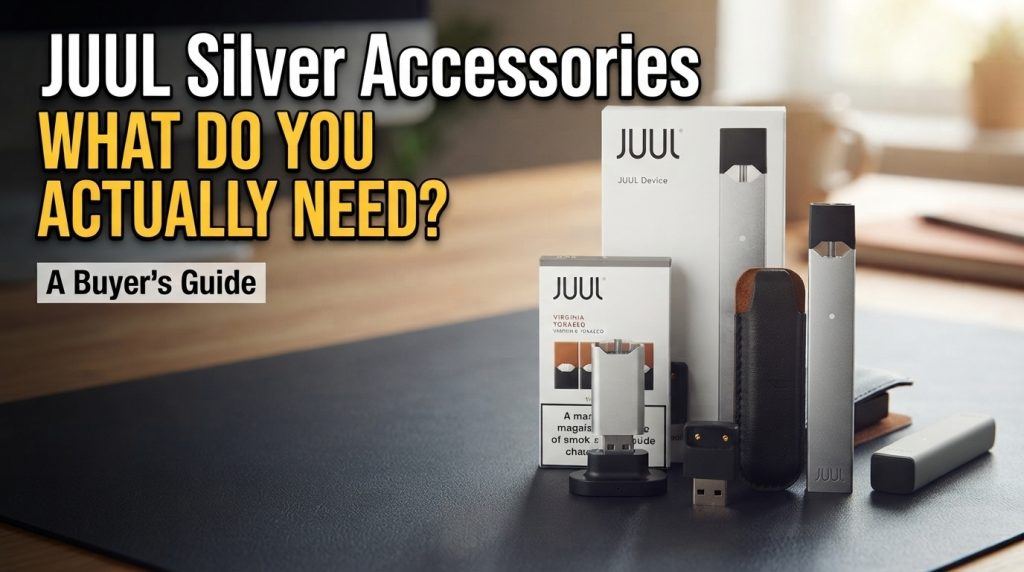
Do You Really Need Accessories for the JUUL Silver? Probably fewer than you think. The JUUL Silver Device is about as simple as pod devices get: click in a pod, take a draw, and charge it when the battery runs low. No buttons, no settings, no coils to swap.
So here’s the short answer. The only accessory you really need is the magnetic USB charging dock, and that’s already in the box. You’ll also need somewhere to plug it in, but if you’re in Dubai or anywhere else in the UAE, you almost certainly have a laptop or USB adapter lying around. Everything else depends on how you use your device.
Below, we’ll go through what’s essential, what’s nice to have, what’s actually a consumable, and what you can happily leave on the shelf.
At a Glance: What You Need for the JUUL Silver
| Item | Do you need it? | When it makes sense |
|---|---|---|
| Magnetic USB charging dock | Yes, to charge | It’s already in the box |
| USB power source | Yes, to charge | Use a port or adapter you already own |
| Protective carrying case | No | If you carry your device around a lot |
| Replacement charging dock | No | If yours is lost or damaged |
| Cleaning supplies | No special kit | A dry cotton swab and soft cloth are enough |
| Original JUUL pods | Consumable | You replace them as you use them |
| JUUL2 accessories | Not compatible by default | Only buy items listed for the original JUUL |
What Comes with the JUUL Silver Device?
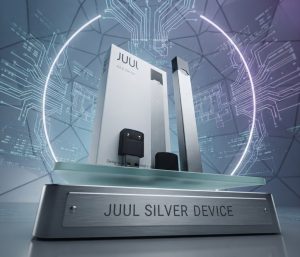
Before you add anything to your cart, open the box and see what’s there. A standard JUUL Device package gives you two things:
- The rechargeable JUUL Silver Device
- A magnetic USB charging dock
Pods usually aren’t included. Some sellers bundle them into starter kits, so read the listing carefully if you’re expecting a few with your device.
It sounds obvious, but checking first saves you from two common mistakes: buying a second dock you don’t need, or assuming there are pods in the box when there aren’t. First time using a JUUL? Our JUUL setup guide for beginners covers the basics.
Essential Charging Equipment for the JUUL Silver
1. Magnetic USB Charging Dock
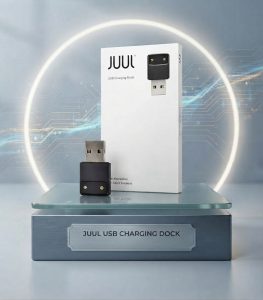
This little dock is the only way to charge the original JUUL. It plugs straight into a USB-A port, no cable needed. Drop the bottom of the device into it and the magnets pull it into place, lining up the charging contacts on the device with the ones on the dock.
Because the connection is unique to JUUL, your phone charger won’t do the job. You need the right dock. According to JUUL’s support guidance, a full charge takes about an hour.
So when would you need a new one? Mainly if yours goes missing, gets damaged, or stops charging even after you’ve cleaned the contacts. Before you replace it, run through our JUUL troubleshooting guide. A lot of “broken charger” problems turn out to be a dirty contact or a weak USB port. If you do buy a replacement, make sure it’s listed for the original JUUL device, not JUUL2.
Key takeaway: If your dock came in the box and it works, you don’t need another one.
2. USB Power Source (Required, but Rarely a Purchase)
The dock needs a USB port to draw power from. A laptop works. So does a USB wall adapter. Most people already have one, so there’s usually nothing extra to buy.
Just use common sense. Follow JUUL’s charging instructions, and skip anything that looks worse for wear: damaged ports, frayed cables, cracked adapters. A plug that fits isn’t proof that a power source is a good idea.
Optional JUUL Accessories: Are They Worth Considering?
1. Protective Carrying Case
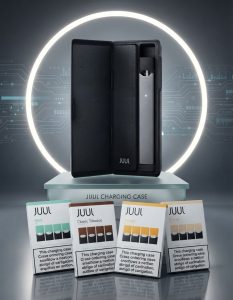
If your JUUL shares a pocket with keys and coins, a case keeps it from getting scratched and stops lint from building up around the mouthpiece. That’s really all it does, and that’s fine.
Is it worth buying?
- Worth considering if your device spends most of the day in a pocket or bag.
- Less necessary if it mostly sits on your desk or bedside table.
- Check the fit first. The original JUUL and JUUL2 are shaped differently, so a case made for one won’t necessarily fit the other.
2. Replacement Charging Dock
There’s a difference between replacing a dock and adding one. A replacement is for when the original is lost or broken. An extra dock is just for convenience: one at home, say, and one at the office or in the car.
A spare is handy if you charge in more than one place, but nobody needs one. Whichever you go for, double-check that the listing says original JUUL. Don’t assume JUUL2 accessories will work.
3. Cleaning and Maintenance Supplies
Good news: the JUUL Silver hardly needs any looking after. JUUL’s own support team recommends gently cleaning the charging contacts on the device and the dock with a dry cotton swab and wiping the outside with a clean, lint-free cloth. That’s it.
If your device starts charging on and off, look at those contacts before you blame the dock. A bit of residue is often the culprit, and a quick wipe can sort it out. If the problem carries on after cleaning, it may be a hardware fault.
Keep water, rough cloths, and harsh cleaning products away from it, and never try to open the device or a pod. You almost certainly have a cotton swab and a soft cloth at home, so there’s no need for a special cleaning kit. If you live somewhere hot, it’s also worth reading how to keep RELX and JUUL fresh in Dubai heat.
JUUL Pods Are Consumables, Not Accessories
What Is the Difference Between JUUL Pods and Accessories?
Pods get used up and replaced. Accessories help you charge, carry, or clean your device, and they stick around. You’ll buy pods regularly. Accessories, hardly ever.
Which JUUL Pods Are Compatible with the Silver Device?
This is where people most often get it wrong. JUUL now has two separate systems: the original JUUL and JUUL2. The JUUL Silver belongs to the original family, so it takes original JUUL pods. JUUL’s support pages are clear that JUUL2 pods don’t work in the original device. Our JUUL Pods vs JUUL 2 Pods comparison explains the differences in more detail.
Before you order, check that the pack says it’s for the original JUUL device. If you have the newer system or you’re thinking of switching, head to the JUUL 2 Device range and JUUL 2 Pods instead.
Original JUUL Pods That Fit the JUUL Silver
The JUUL Silver works with original JUUL pods across the available flavors and nicotine strengths. Click a pod into the top and you’re ready, with nothing to adjust. Each box comes with four prefilled, sealed pods that can’t be refilled. Here are the original JUUL pods we currently list at PodSeller:
| Pod | Flavour type | Nicotine strength |
|---|---|---|
| JUUL Virginia Tobacco Pods 5% | Tobacco | 5% |
| JUUL Virginia Tobacco Pods 3% | Tobacco | 3% |
| JUUL Menthol Pods 5% | Menthol | 5% |
| JUUL Menthol Pods 3% | Menthol | 3% |
| JUUL Mint Pods 18mg | Mint | 18 mg (1.8%) |
| JUUL Berry Pods 18mg | Berry | 18 mg (1.8%) |
One thing to remember: the two systems don’t mix. These pods won’t fit a JUUL2 device, and JUUL2 pods won’t sit properly in the JUUL Silver.
Accessories You Can Skip
Some things look useful online but don’t earn their place:
- Extra charging dock: Not needed if your original works. Only worth it if you regularly charge in more than one place.
- Specialised cleaning kits: A dry cotton swab and a soft cloth do the job.
- Device modification tools: The original JUUL is a closed system. It isn’t meant to be opened or modified.
- Unverified third-party accessories: Looking the same isn’t the same as being compatible or safe.
- Accessories made for JUUL2: Don’t assume they’ll work across generations.
How to Choose the Right JUUL Silver Accessories
If you do decide to buy something, a quick check saves a lot of hassle:
- Confirm which device you have: original JUUL or JUUL2.
- Check whether what you need is already in the box.
- Make sure the listing clearly says it works with the original JUUL.
- Look it over for damage when it arrives.
- Follow the manufacturer’s instructions for charging, storage and cleaning.
Frequently Asked Questions
Does the JUUL Silver Device come with a charger?
Yes. The standard package includes the device and a magnetic USB charging dock. Kits can vary from seller to seller, so it’s always worth checking the listing.
Do I need to buy a separate charging dock for JUUL Silver?
No, as long as the dock in your box works. You’d only need another one if yours is lost or damaged, or if you want a spare.
Can I use a JUUL2 charger with the original JUUL Silver?
Don’t count on it. JUUL2 is a separate system with its own accessories. Stick with a dock that’s clearly listed as compatible with the original JUUL device.
Are JUUL pods considered accessories?
Not really. Pods are consumables: you use them up and replace them. Accessories are the things that help you charge, carry or clean your device.
How do I maintain my JUUL Silver Device?
Wipe it down with a dry, lint-free cloth, clean the charging contacts on the device and dock with a dry cotton swab, keep it away from heat and moisture, and never open it up.
Can I use third-party accessories with my JUUL Silver?
Only if the seller clearly confirms it’s compatible and safe for that exact product. Third-party accessories aren’t automatically interchangeable with official JUUL gear.
Final Thoughts: Keep Your JUUL Silver Setup Simple
The nice thing about the JUUL Silver is how little it asks of you. The dock in the box is the only real essential, and a USB port you already own covers the rest. A case or spare dock is up to you. Pods are something you’ll top up as you go, not an accessory.
Before you buy anything extra, check what’s already in the box and make sure it’s made for the original JUUL. Want to see the full specs and what’s included? The JUUL Silver Device page linked at the top of this guide has everything. Using more than one pod system? We also stock genuine RELX devices and pods, so you can find everything in one place at Relx Dubai.
18+ only. JUUL products contain nicotine, which is addictive
Shop genuine JUUL & RELX pods
100% authentic · 1-hour delivery in Dubai, Ajman & Sharjah · 18+